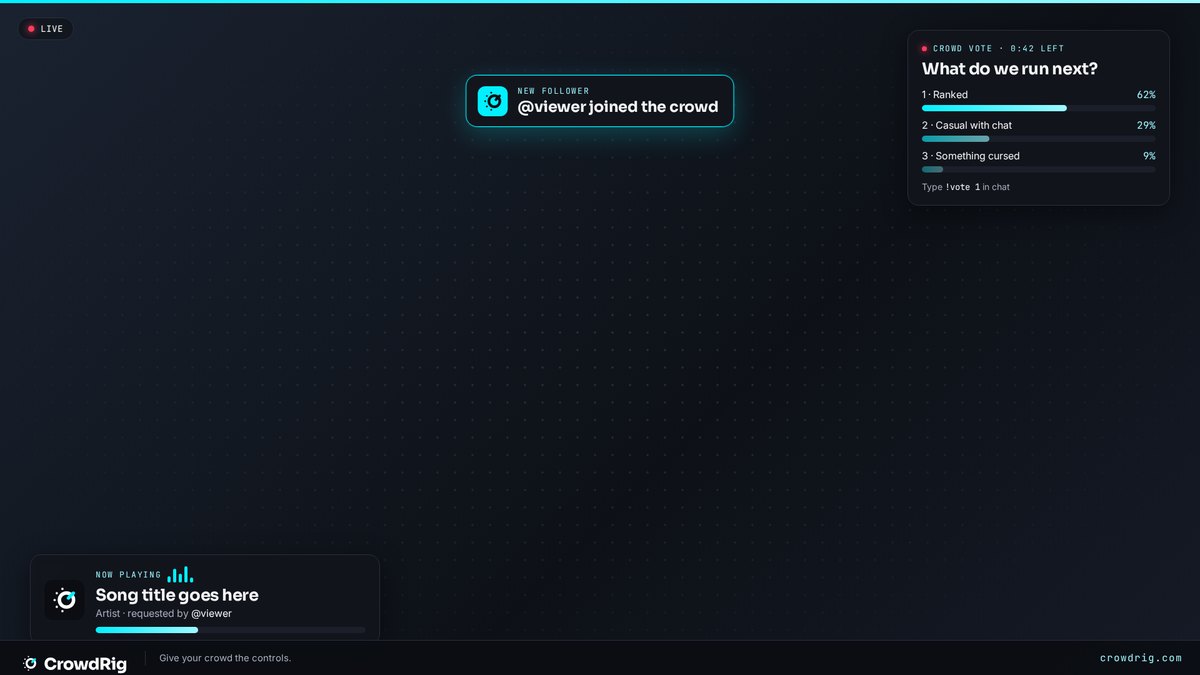
Now Playing, crowd vote, chat replies, top crowd and effects render on one transparent browser source — 1920×1080, or 1080×1920 for Whatnot, TikTok LIVE and Shorts. Add it once.
Three ways your crowd reaches into the stream, and a points economy that keeps them coming back. Each has its own panel in the console, and they all draw on the same overlay.
Now Playing, crowd vote, chat replies, top crowd and effects render on one transparent browser source — 1920×1080, or 1080×1920 for Whatnot, TikTok LIVE and Shorts. Add it once.
Every rig starts with a built-in list of hits (30 on Free, 100 on Crowd) that you can swap song for song; Crowd and up can open the bridge to all of YouTube Music. Auto-play plays requests in order, or switch it off and approve each one. The overlay plays the queue and shows who asked for what.
Type a question and up to six options, pick a length, hit start. The overlay shows live bars and a countdown, then the winner for a few seconds.
Confetti, airhorn and applause come built in. Add your own: an emoji rain, an image that pops up, a sound that plays, a screen shake, a flash. Every effect shows who fired it.
Every viewer has a balance. It grows on its own while they watch and take part, and it's what they spend to reach into the stream. You never log a thing.
A single transparent browser source carries Now Playing, polls, chat replies, the top-crowd board and effects. Pick horizontal or vertical in the console, switch layers on and off, and set your accent color and corners on Rig.
Phone-friendly. Viewers sign up with their exact Whatnot (or Twitch, Kick, YouTube) username, you approve them into your room with a join code, and they request, vote and fire under that name — no made-up names on your stream. In chat they can also type !request, !vote and !confetti; CrowdRig listens and never posts.
Queue, approvals, polls, effects, rules, your plan and usage, CSV exports of your logs, and a board of your most active viewers. Your email is your login; a backup console link covers you if you are ever signed out.
Everything unlocked while CrowdRig is in beta, and every beta account is a founding member.